
Synced from the ChatCut Skill catalog · Updated October 16, 2026
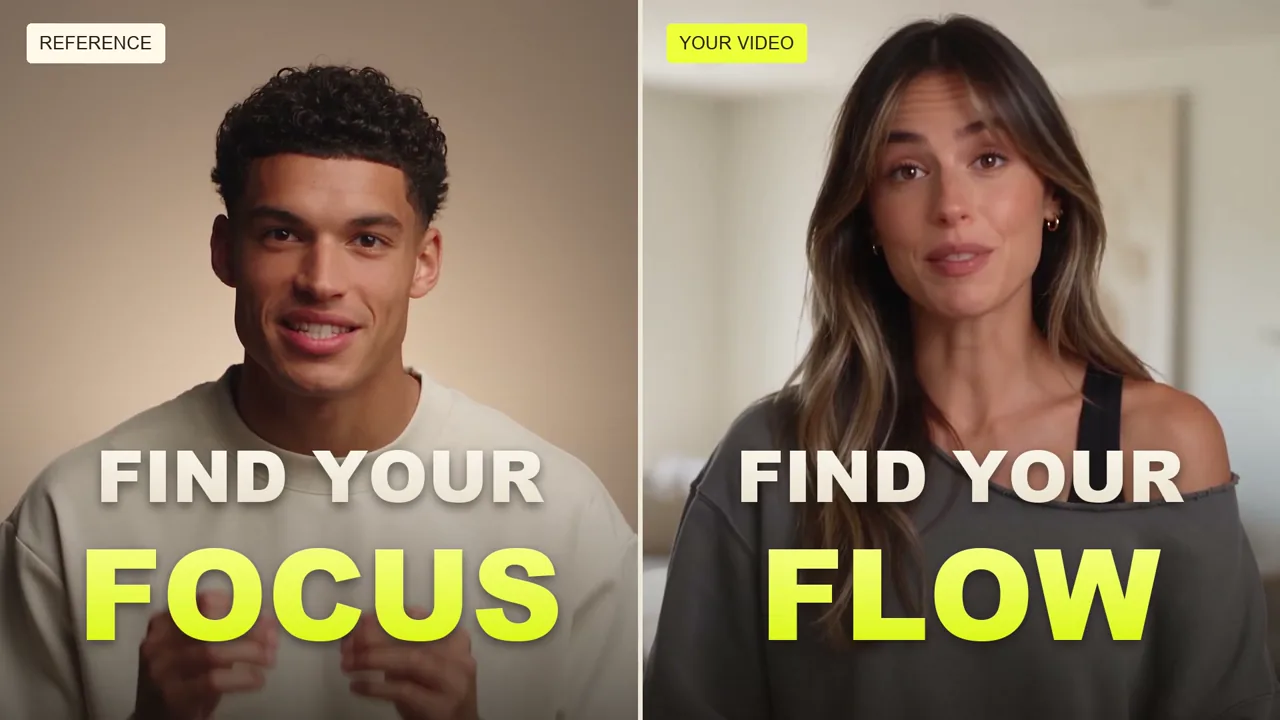
Recreate a video’s style, pacing, and structure with your own content. Use a reference to edit your talking-head footage, generate a UGC ad for your product, or make your own version of a popular short.
What this Skill does
根据参考视频复刻视觉风格、包装、镜头、动作或节奏,或在保持原片时序的前提下替换指定对象。适用于用户明确要求视频复刻、模仿参考或按参考制作的任务;区分新内容风格适配与原片限定编辑,不用于无参考的自由创作。
Use this Skill when
Recreate a video’s style, pacing, and structure with your own content. Use a reference to edit your talking-head footage, generate a UGC ad for your product, or make your own version of a popular short.
How to run it
- Start in the ChatCut project you want to work on.
- Open the AI composer's Skills menu and find Recreate a Video. Choose the workflow, then check the attached Skill in your prompt.
- Add the footage or references for this job and explain your intended result. Send the request when those inputs are ready.
For selection and reuse, see the Skills guide.
Changelog
Updated October 16, 2026 — synced from the ChatCut Skill catalog. No revisions recorded before this one.




Commenting is not open yet. Until it is, tell us how you use this Skill in Discord.